
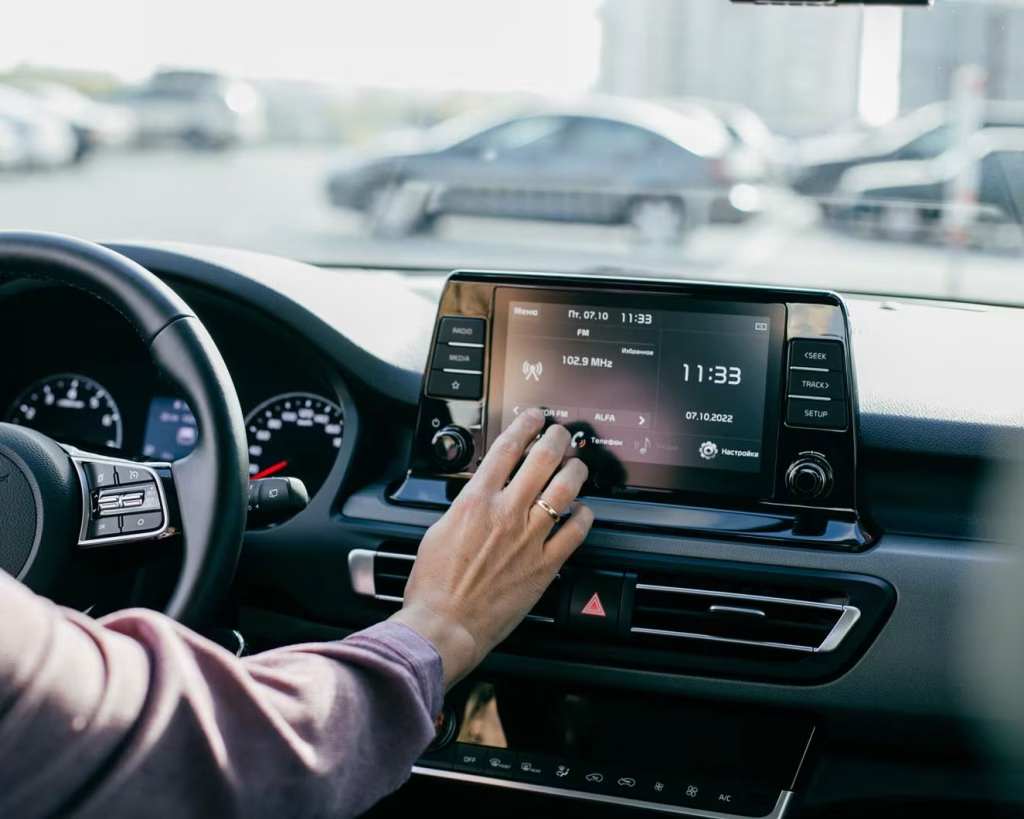
Upgrading your stereo isn’t about “having a big screen.” It’s about what happens every single time you drive around Orange Park. You’re trying to follow maps, answer a call, change a playlist, and your dash feels like it belongs to a completely different decade. Tiny display. Stubborn Bluetooth. Wires everywhere.
At some point, you realise the problem isn’t just age. It’s the fact that your stereo was never built for wireless CarPlay, Android Auto, or today’s way of driving in Florida traffic. That’s when the search begins: car stereo Orange Park FL, wireless CarPlay, Android Auto stereo, floating screens, “smart” units… and twenty tabs later, everything looks the same.
The question isn’t “Do you want a touchscreen?” The real question is: which wireless or touchscreen setup actually makes your life easier in your car, with your phone, under Florida sun and road conditions?
In this blog, we’ll walk through the main options – wireless CarPlay units, Android Auto stereos, floating screen car stereos, and cleaner factory-style touchscreens – and break down what each one really does for you, so you can choose a system that feels natural every time you turn the key, not just “nice” on a spec sheet.
Option 1: Wireless CarPlay For iPhone Users In Orange Park
If you are deeply tied to your iPhone, wireless CarPlay Orange Park systems usually feel the most natural.
What wireless CarPlay actually gives you:
- Your iPhone’s key apps on the stereo screen: navigation, music, messages, and calls.
- Automatic connection once the car starts, without reaching for a cable.
- Voice control through Siri, so you can send texts, ask for directions, or change music while keeping your hands on the wheel.
This type of car stereo Orange Park FL drivers look for is ideal if:
- You already use Apple Maps or Waze for almost every trip.
- You keep your life inside your iPhone calendar, contacts, and apps.
- You are tired of your phone being both GPS screen and music controller at the same time.
When comparing wireless CarPlay units, pay attention to three things: how quickly the system boots, how stable the wireless connection is, and how readable the screen stays under direct Florida sun. Those three details decide whether it still feels good to use a month after installation.
Option 2: Android Auto Stereo For Drivers On Android
If you are on Android, forcing everything through a basic Bluetooth connection always feels slightly off. A dedicated Android Auto stereo solves that.
With Android Auto, you get:
- Google Maps or Waze directly on your dash, not just on your phone.
- Voice control through Google Assistant, which is very useful when you are already watching traffic.
- Direct access to apps like Spotify, YouTube Music, and compatible messaging platforms in a layout built for driving.
This setup is ideal if:
- You already depend on Google services like Maps, Gmail, and Calendar.
- You prefer Android flexibility but want a simple interface in the car.
- You want alerts, navigation, and music tied to one account instead of jumping between devices.
The right Android Auto stereo in a Florida daily driver should react quickly when you tap or swipe, keep the link to your phone stable on longer trips, and use a microphone location that still hears you over road noise and air conditioning.
Option 3: Floating Screen Car Stereo For Maximum Visibility
Some dashboards just do not have room for a big built-in display. That is when a floating screen car stereo becomes an option.
In this style, the main body of the stereo sits in the usual radio slot, while the screen is mounted in front of the dash like a slim tablet.
Why drivers choose this:
- A much larger screen for maps, cameras, and menus.
- Easier viewing of backup camera feeds and lane guidance.
- A more modern look that brings an older interior up to date.
Before deciding on a floating screen, it is important to think about:
- Glare and placement
The screen needs to be positioned and angled so it does not reflect the sky every time sun hits the windshield. - Stability
Cheap units can wobble on rough roads. A quality car stereo Orange Park FL install will mount the screen so it stays solid, even on uneven pavement and highway joints. - Access to physical controls
The screen must not block vents, hazard buttons, or climate controls you use often.
When done correctly, a floating screen combined with wireless CarPlay or Android Auto feels like a clean, modern control center instead of an afterthought.
Option 4: Factory Style Touchscreen For A Cleaner Look
Not everyone wants a big tablet floating on the dash. Some drivers care just as much about the interior looking “factory” as they do about new features.
A more conventional double DIN touchscreen, paired with the right dash kit, keeps things neat:
- The screen sits inside the dash instead of in front of it.
- The trim can be matched to the original interior style.
- Steering wheel controls and backup cameras are often easier to integrate.
You still get:
- CarPlay or Android Auto, wired or wireless depending on the model.
- Bluetooth for calls and audio.
- Better sound processing than most stock stereos.
This style works well if you want the benefits of a smart stereo Florida upgrade but prefer the car to look like it could have come that way from the factory.
Florida Reality: Heat, Glare, And Daily Use
No matter which type you choose, Florida conditions will test it.
When you drive around Orange Park, Jacksonville, and nearby areas, your stereo sits in:
- Hot, sealed cabins in the middle of the day.
- Sudden temperature changes once the air conditioning is on full blast.
- Strong sunlight that can wash out weaker screens.
When you choose a system, it is important to ask:
- How bright is the display and does it stay visible when the sun hits it?
- Is this unit known to run hot, or is it built to tolerate higher cabin temperatures?
- Does the interface still respond quickly when the unit has been sitting in heat for hours?
The goal is not just a unit that looks nice when the car is parked in the shade, but one that works the same way when you climb in after work and everything inside feels like it has been in an oven.
Matching The Right Stereo To The Way You Actually Drive
The best choice depends less on “which model is most advanced” and more on how you use your car.
A few simple patterns help:
- If your drive is mostly commuting and calls: You benefit most from clear call quality, quick map access, and a layout that keeps your eyes on the road. Wireless CarPlay or Android Auto with a clean, bright screen is more important than visual extras.
- If your car is a family shuttle: You are in and out of the car constantly. Automatic connection, easy volume control, and simple menu navigation matter more than deep audio tuning.
- If you care about sound as much as features: You should look for a stereo that has strong audio processing, proper pre-outs for amplifiers, and support for tuning tools. That way, when you upgrade speakers and add amplifiers later, the head unit will not hold the system back.
- If you plan to keep the car for a long time: An integrated touchscreen with CarPlay or Android Auto, installed cleanly, can make the car feel current again without needing a new vehicle.
Taking ten minutes to be honest about which type you are saves you from buying something that looks impressive online but does not actually fix your daily frustrations.
Why Installation Matters Just As Much As The Unit
Two drivers can buy the same stereo and have totally different experiences. The difference is usually not the equipment, but the install.
A rushed or basic install can create:
- Glitches where the unit restarts when you hit bumps.
- Microphones that pick up fan noise instead of your voice.
- Floating screens that vibrate whenever the road gets rough.
- Backup cameras that flicker or take too long to display when you shift into reverse.
A proper installation for a car stereo Orange Park FL upgrade will:
- Mount the unit securely and align the screen for your seating position.
- Route wiring safely around airbags and factory electronics.
- Place microphones and antennas where they perform well in real driving conditions, not just on a bench test.
Good hardware with a careful install feels natural and predictable. You stop thinking about the stereo itself and simply use it.
Turning Your Next Stereo Into A Real Upgrade, Not A Gamble
Upgrading to wireless and touchscreen is not about chasing trends. It is about fixing the subtle things that annoy you every time you drive: the tangled cables, the missed turns, the dropped calls, and the glare on a tiny outdated display.
The right mix might be:
- Wireless CarPlay for your iPhone or an Android Auto stereo for your Android.
- A floating screen car stereo if you need a larger display in a small dash.
- Or a factory style smart stereo that keeps the interior looking clean and original.
If you are tired of guessing which option to pick, a specialist like Miami Pro Audio can walk you through your car, your phone, your routes, and your priorities, then recommend a setup built for real Florida driving instead of generic conditions. That way, the next time you think about car stereo Orange Park FL, you will not be starting another confusing search. You will be getting into a car that already does what you need, every time you turn the key.
FAQs: Wireless & Touchscreen Car Stereo Options in Orange Park, FL
What should I look for in a car stereo in Orange Park FL if I want wireless features?
If you’re upgrading to a car stereo Orange Park FL drivers actually enjoy using every day, focus on three things: whether it supports wireless CarPlay and/or Android Auto, how bright and responsive the screen is in Florida sun, and how reliable the Bluetooth and Wi-Fi connection are. From there, you can decide on extras like multiple camera inputs, EQ options, and subwoofer controls.
How is wireless CarPlay different from regular CarPlay with a cable?
With wireless CarPlay Orange Park setups, your iPhone connects automatically once you start the car – no cable to plug in every time. You still get maps, calls, messages, and music on the dash screen, but you’re not tied to a cord. It feels more natural on short trips and daily errands where you’re constantly hopping in and out of the car.
Do I need a special phone to use an Android Auto stereo?
To use an Android Auto stereo, you need a compatible Android phone (most modern Android phones qualify) with the Android Auto app or built-in functionality. Once paired, you can use Google Maps or Waze, stream music, and control messages from the touchscreen or with voice commands, instead of digging through your phone while driving around Orange Park.
What’s the point of a floating screen car stereo instead of a regular double-DIN?
A floating screen car stereo is ideal when you want a larger display than your factory opening allows. The tablet-style screen sits in front of the dash, giving you more real estate for maps, CarPlay, or Android Auto. It’s especially useful if you rely on navigation, use multiple camera views, or just want a more modern look without rebuilding the entire dashboard.
Will a large floating screen block my vents or controls?
It depends on the model and how it’s installed. A good installer will position a floating screen car stereo so it doesn’t block critical buttons, vents, or hazard switches. This is where a professional shop makes a difference: they test angles, mounting height, and reach so the screen works with your dash instead of fighting it.
What makes a “smart stereo Florida” ready for local heat and humidity?
A reliable smart stereo Florida setup should have a bright, anti-glare screen, solid build quality, and internal components that can handle hot cabins and daily temperature swings. Pair that with proper installation – good ventilation behind the dash and clean wiring – and the unit is far less likely to glitch, overheat, or slow down over time.
Can I keep my steering wheel controls with a new touchscreen stereo?
In most vehicles, yes. When you upgrade to a modern car stereo Orange Park FL drivers want (with wireless CarPlay or Android Auto), an installer can add the right interface module so your steering wheel buttons still control volume, track changes, and calls. It just needs to be wired and programmed correctly.
Is wireless better than wired for CarPlay and Android Auto?
Wireless is more convenient for day-to-day driving, especially in stop-and-go Orange Park traffic. That said, wired connections can be slightly more stable and charge your phone faster. A smart move is to choose a wireless CarPlay Orange Park or Android Auto unit that supports both: use wireless most of the time, and plug in when you need charging and maximum stability.
Will a new touchscreen stereo really improve sound quality, or do I need new speakers too?
Even on factory speakers, a good Android Auto stereo or wireless CarPlay deck with proper EQ, time alignment, and clean pre-outs can make a noticeable difference. If you later add better speakers or an amplifier, the head unit becomes the “brain” of the system and helps you get closer to the level of sound people mean when they talk about the best-sounding setups in Orange Park.
Why should I go to a shop like Miami Pro Audio instead of just buying a stereo online?
Buying a screen online is the easy part; getting it to look clean, work with your factory controls, and hold up in Florida is where expertise matters. A shop that regularly installs car stereo Orange Park FL systems can help you choose between wireless CarPlay, Android Auto, and floating screen options, then mount everything, tune the sound, and integrate cameras and steering wheel controls so it all feels factory-smooth instead of DIY.